1. Prototable 11 of 11
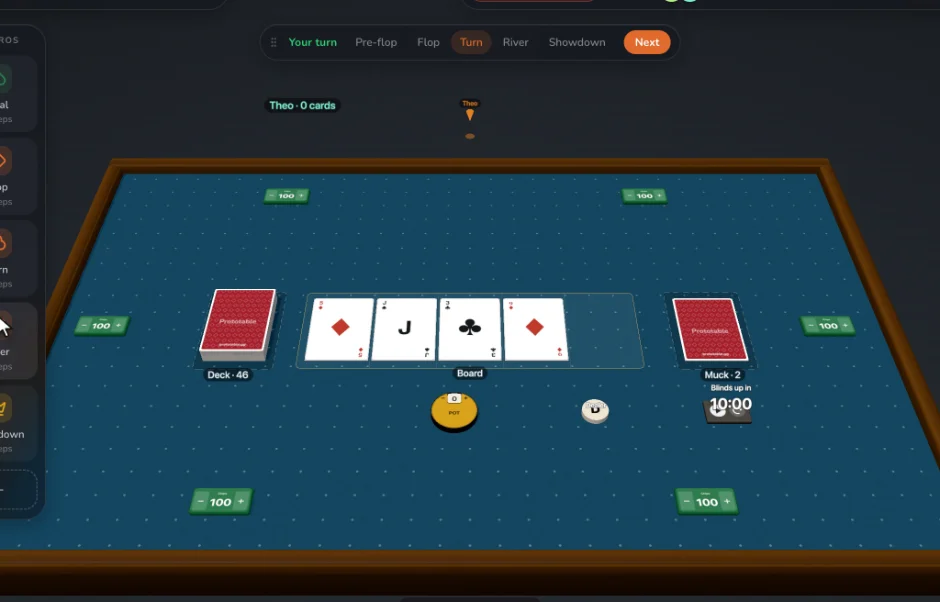
A browser tool for designing and playtesting tabletop game prototypes: design cards from templates, play them with anyone from a link, and change them mid-game. Best if playing is where your design happens: you want a 3D table with physics dice, no-code macros, more than 6 players, card edits that reach everyone without a refresh, and a Review that goes through each change card by card, at about half the price for unlimited projects.
For a board game: Your board or map as an image on a mat, with a square or hex grid that pieces and cards snap to, plus tokens, pawns, meeples, cubes, physics dice, counters and bags. How to playtest a board game remotely.
2. Dustin's Designer Den 5 of 11
Dustin's Designer Den is a browser platform for building components, playtesting them on a shared 2D table, and collecting feedback.
Best at: Session replay and interaction heatmaps (Pro); Voice chat built into the table; Imports from The Game Crafter.
For a board game: A 2D table with zones that hide, feed hands or randomize, snap points, and square and hex grids.
3. playingcards.io 4 of 11
playingcards.io is a free 2D card table in the browser, built for playing card and board games with friends, with an edit mode for making your own.
Best at: Free to play and create; A catalog of classic and licensed games; Very quick to start a casual game.
For a board game: A flat 2D table of widgets: decks, hands, seats, counters, dice, spinners, timers and boards.
4. Dextrous 4 of 11
Dextrous is a browser tool for designing cards, tiles and tokens from spreadsheet data, then exporting them to print or to a digital table.
Best at: Print-ready CMYK PDFs with manufacturer presets; Cards linked to a Google Sheet; Exports to many digital tables.
5. Screentop 3 of 11
Screentop is a browser-based 2D tabletop for making and playtesting games, with a public catalog of community games.
Best at: A catalog of community games to play; Selling a digital edition with player keys (Studio); Several play surfaces on one table.
For a board game: A 2D table with dice, counters, private hands, grid and anchor snapping, and several surfaces per table.
6. Component.Studio 3 of 11
Component.Studio, from The Game Crafter, turns a template and a spreadsheet into cards, tiles and other components, one per row.
Best at: Direct upload to The Game Crafter; Duplex print layouts; Image and font libraries.
7. nanDECK 3 of 11
nanDECK is a free Windows program for generating cards, tokens and boards from a script.
Best at: Free, with no limits; Very deep scripting, including a Monte Carlo simulator; Duplex and fold print layouts.
8. Squib 3 of 11
Squib is an open-source Ruby library for generating cards and other game components from code.
Best at: Free and open source; Full programming power, and version control; Works with whatever data pipeline you build.
9. Tabletopia 2 of 11
Tabletopia is a 3D platform for playing board games online, with a catalog of 2,500+ games and a Workshop for designers and publishers.
Best at: A large audience of players and a big catalog; Apps for Steam, iOS and Android; Video chat in the game.
For a board game: A 3D table with shuffling, dealing, turn tracking and zones. Custom 3D models on the Publisher plan.
10. Canva 2 of 11
Canva is a general design app in the browser, used for everything from posters to slides, and can make cards from a spreadsheet with Bulk Create.
Best at: A huge library of graphics, fonts and templates; General design for your box, rulebook and marketing too; A tool many people already know.
11. Tabletop Creator 2 of 11
Tabletop Creator is a desktop app from Pixelatto for designing cards and game components, which exports to print and to digital tables.
Best at: A desktop app that works offline; Exports made for digital tables; One purchase rather than a subscription, on Pro.
12. Tabletop Simulator 1 of 11
Tabletop Simulator is a physics sandbox on Steam for playing tabletop games on a computer.
Best at: A large community and a Workshop full of existing games; Full physics and custom 3D models; Scripting in Lua for complex rules.
For a board game: A 3D physics table for up to 10 players, with custom boards and tables from images, custom decks, and imported 3D models.
13. Tabletop Playground 1 of 11
Tabletop Playground is a 3D physics tabletop for Windows, Mac and Linux, sold on Steam and elsewhere, with a game editor and JavaScript scripting.
Best at: Full JavaScript scripting; Custom 3D models, and VR in the current version; Up to 16 players a table on any plan.
For a board game: A 3D table with physics, card holders, containers, zones, teams and turns, for up to 16 players.
14. Magic Set Editor 1 of 11
Magic Set Editor is a community desktop program for making custom cards, mainly for Magic: The Gathering, using ready-made templates.
Best at: Exact frames for Magic and other existing games; Free, with a long-running community; Statistics and graphs for a whole set.
How these were compared
Each tool is scored on the same checklist: runs in the browser, nothing to install; players join free from a link, no account; design cards from templates; import spreadsheets, images, PDFs and TTS sheets; 3D table with physics dice; edit a card mid-game and everyone sees it at once; no-code macros and automations; record playtests, with notes and player feedback; review changes card by card, keep or discard; print-and-play PDFs; a free plan. Claims come from each tool’s own site and docs, checked in September 2026; every comparison page lists its sources.