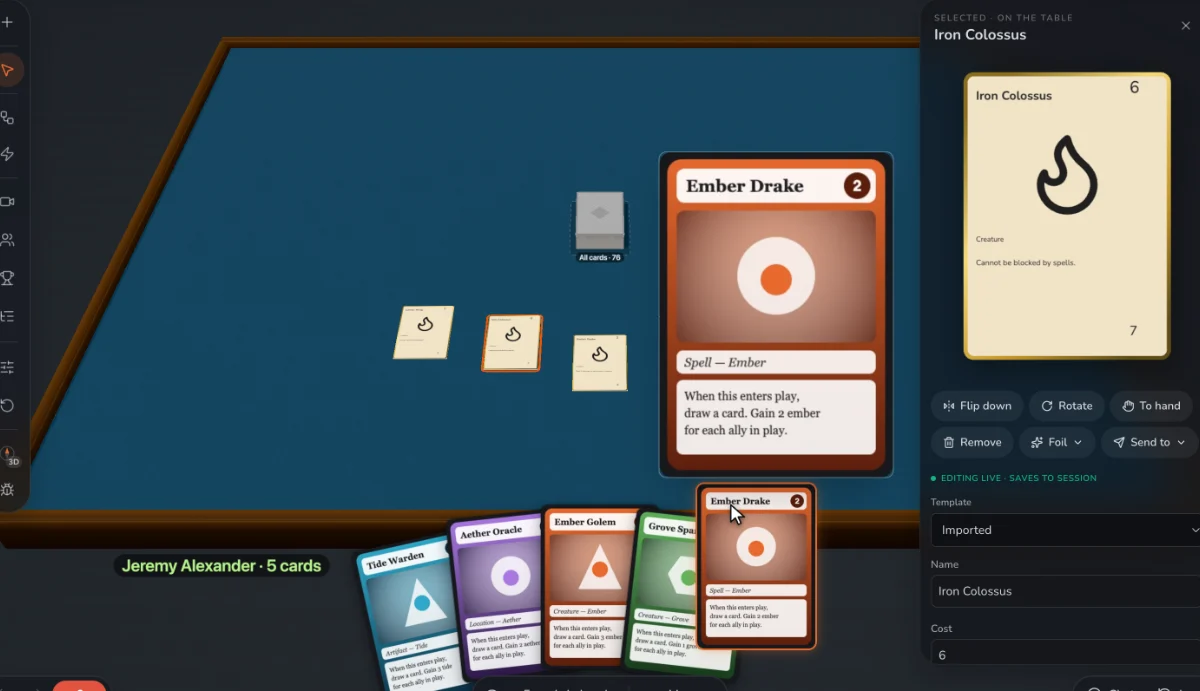
Give every card a hard choice
The strongest idea in card design is a card that’s useful in more than one way: play it for its effect, or pay with it, or keep it for later. A hand of cards that each want two things is a game of constant decisions.
Know your card flow
Cards come in (draw) and go out (played, discarded). If they come in faster, hands swell and turns slow down. If they go out faster, players run dry and feel stuck. Most games keep the flow close to even, with bursts of each.
Pick a hand size on purpose
Five to seven cards is a common range since players can hold that many options in their head. A larger hand means slower turns but more planning. A small hand means fast turns and more luck.
Decide how much luck you want
Luck keeps a game open, and lets a new player beat an expert now and then. Skill keeps people coming back. You control the balance with hand size, drafts, how much you can see ahead, and what you can do with a bad draw.
Choose how players touch each other
Direct attacks, racing for shared cards, trading, bluffing. Each makes for a different feel at the table. Attacks create drama, but can make a player feel ganged up on, particularly with more than two players.
End the game on purpose
A game should end soon after the winner is clear. A deck running out, a score threshold or a fixed number of rounds all work. A long last stretch where the result is already known is one of the commonest flaws in early designs.
Teach it in two minutes
Each rule you add must earn its place. Try explaining the game aloud. Anything you have to keep correcting is a candidate to cut.
Step by step, in Prototable
- Try a lever at the table. Change hand size or draw rate and play again; it takes seconds, as the cards don’t change.
- Keep versions. Record sessions, and restore any start or end to try a different rule from the same position.
- Automate chores. A macro can shuffle and deal a hand to everyone, so testing a new hand size takes one click.
- Get opinions. Use feedback forms, and ask players when they were bored.
Questions
What makes a card game good?
Interesting choices, tension between players, and the urge to play again. It’s not the number of cards or the complexity of its rules.
How do I reduce downtime?
Shorten turns, let players plan during others’ turns, or give them something to react with. Downtime grows quickly as you add players, so test at your highest player count.
What are the best player counts for a card game?
Whatever your interaction suits. Test at your lowest and highest counts, since many designs that sing at three fall apart at six.
More guides: How to prototype a card game · How to turn a Tabletop Simulator deck into printable cards · How to playtest a board game remotely · How to import a TCG deck list to playtest it · How to make a card game · How to make a trading card game · How to balance a trading card game · How to make custom cards for Tabletop Simulator · How to publish a card game · Game card design rules · How to make a board game · What is playtesting? · How to playtest a card game online.