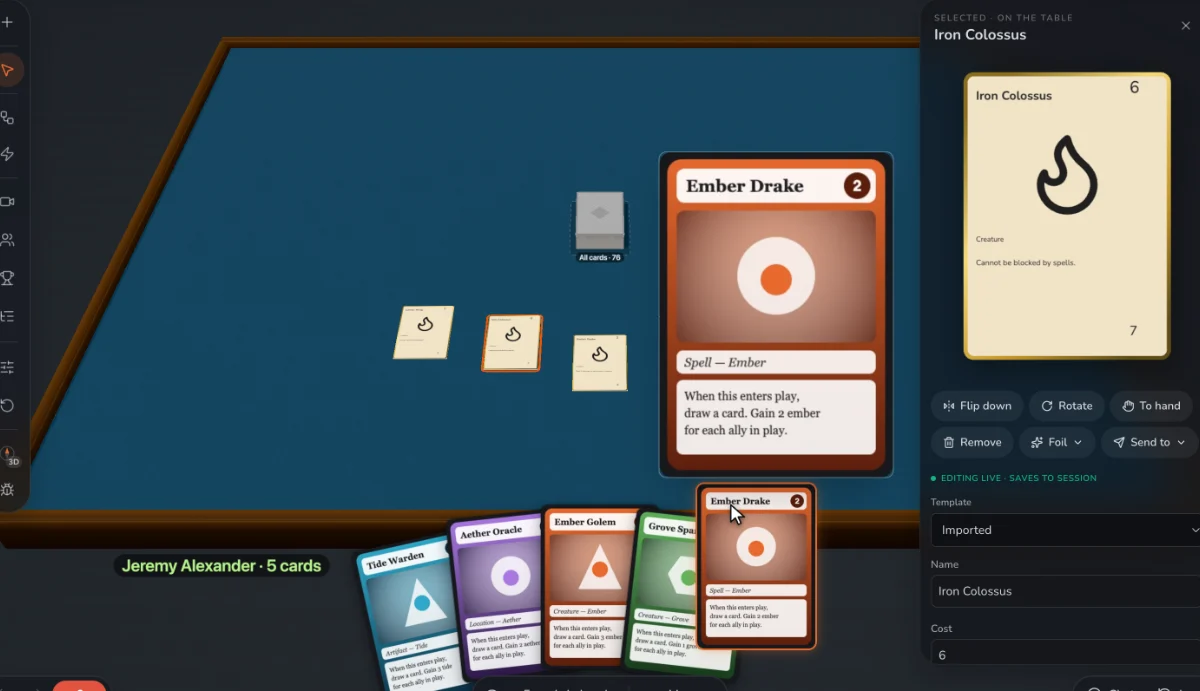
What a prototype needs
- Cards as data, so a balance pass is a few edits instead of twenty redrawn cards.
- One layout, so moving the cost to another corner moves it on every card.
- A table, so other people can play it before you print anything.
- A memory, so you can see what you changed and whether it helped.
Change it during the game
Edit a card while people are playing and every copy updates at once: on the table, in hands and in decks. You don’t export, re-upload or restart. When a card is obviously too strong on turn three, you can fix it on turn four.
Keep what you learned
Record a playtest, leave notes on cards with a right-click, and collect what players said. Review lists every card that changed, so you can keep or discard each change. Restore any recorded session to play on from that point.
What it won’t do
It doesn’t test balance for you or play your game by itself. For a run of thousands of simulated games you want a scripting tool like nanDECK. Print lays out card faces only, so double-sided sheets take a separate back page.
Step by step
- Write the cards. Type them into Data, or bring in a spreadsheet or CSV, a folder of card images, PDFs made for print, or a Tabletop Simulator card sheet.
- Lay out a template. Place the name, cost, text and art once. Every card follows it.
- Make a deck. Choose how many copies of each card, and put the deck on the table.
- Test it alone. Add stand-ins and play every seat yourself, to catch the obvious problems.
- Play it with people. Share the link, press Record, and change cards as you go.
- Review and go again. Keep or discard each change, then play the next version.
Questions
What is the best software for prototyping a card game?
It depends on where you are. If the design is still moving, use something that lets you play and change cards in one place, like Prototable. If your cards are final and going to a printer, a layout tool with production exports may suit you better. Our list of card game makers compares them, including where they beat us.
Should I make art first?
No. Playtest with placeholder art until the numbers settle. Art is expensive to redo, and the cards will change.
Does it cost anything?
Free for two games, with 2 players at the table. Designer, $99 a year or $15 a month, adds unlimited games and 12 players. Players you invite always join free.
Related: How to make a card game · What is playtesting? · How to prototype a card game · The best card game makers · The best tabletop game makers · vs ShuffleKit · all tools.