What to look for
Does it also play them?
A layout tool makes files, and you need somewhere else to play. If you change cards often, each trip through an export slows you down. If your cards are nearly final, that may not matter.
How do you make cards?
Drag and drop is the easiest to start with. A script is the most powerful and takes time to learn. Almost every good tool now builds cards from a spreadsheet and one layout. Avoid tools where you edit each card by hand.
Where do the cards end up?
A home printer, a print shop, a table online? Check for what you’ll need, such as bleed, cut guides, CMYK or exports to a specific service.
The tools
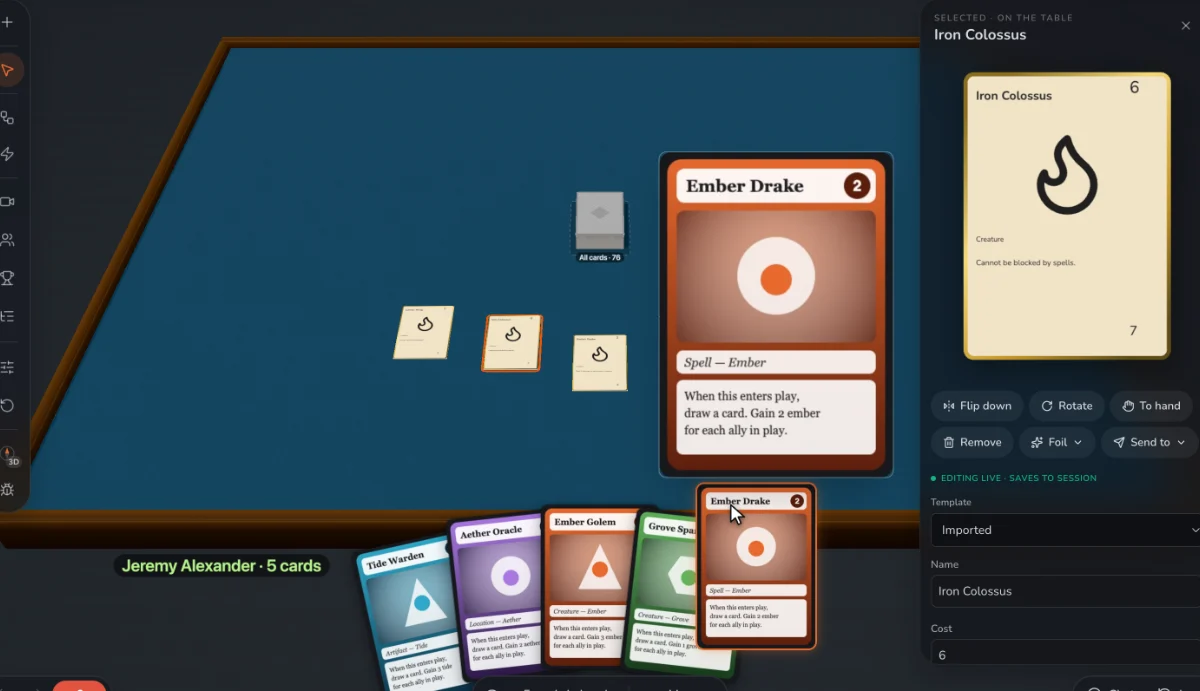
Prototable
Best for: Designers still changing their game, who want to design, play and review in one place, on a table players join from a link.
ShuffleKit
The closest to us in scope: design, a table and printed decks in one place, with a limit of 6 players.
Dextrous
A strong layout tool with spreadsheet links, if your game is heading to print and you play elsewhere.
Component.Studio
Good if your game is going to The Game Crafter, since it uploads there directly.
nanDECK
Free and very deep, if you like scripting and use Windows.
Squib
For programmers who want cards generated by Ruby code.
Tabletop Creator
A desktop tool that exports to digital tables.
Magic Set Editor
Good for custom cards for an existing game, using templates made by its community.
Canva
Familiar and flexible for a few cards, without a game designer’s features.
Questions
What is the best free card game maker?
nanDECK is free with no limits if you’re happy scripting on Windows. For a free plan in the browser, Prototable, ShuffleKit and Dextrous all have one, each with different limits.
Can I make a card game in Canva?
Yes for a small deck. Bulk Create makes a design per spreadsheet row on paid plans. It has no table to play on and no game-specific tools.
We make Prototable, so read this with that in mind. Claims about other tools come from their own sites and docs; each comparison page lists its sources and the date we checked them. If something here is out of date, tell us on Discord.
Other lists
- The best AI card game makers
- The best AI board game makers
- The best AI tabletop game makers
- The best board game makers
- The best tabletop game makers
- The best card game playtesting software
- The best card game makers for Tabletop Simulator
- The best card game template tools
- Print-on-demand card game printers
More: all comparisons · all guides.