Connect it
Prototable has an MCP server, the standard way for these apps to work with other tools. Add this address as a connector, and sign in when it asks. There’s nothing to install, and it works on every plan, including free.
https://prototable.gg/mcp
- ChatGPT: in Settings, Connectors, turn on Developer mode, choose Create, and paste the address. Developer mode depends on your ChatGPT plan.
- Claude: in Settings, Connectors, choose Add custom connector and paste the address.
- Claude Code: run
claude mcp add --transport http prototable https://prototable.gg/mcp, then type /mcp to sign in.
You can disconnect an app at any time from Integrations, and it takes effect on its next call.
What you can ask for
- “Start a new game called Ember Fox, a two-player duel about foxes stealing fire.”
- “Make 40 cards from this list.”
- “Lower the cost of every unit by one.”
- “Which of my cards look too strong for their cost?”
- “Write the rules from these notes.”
- “Add a button that shuffles and deals five cards to everyone.”
- “Set up a turn bar: draw, main, combat, end.”
- “Send me the link to my table.”
Why a table matters
Any chatbot can write 100 cards. Nobody knows whether they work until people play them. Here, the cards go straight onto a shared table. When something’s broken, ask for a change or edit it yourself, and it updates for everyone mid-game. Each edit an app makes keeps the card’s earlier version, so you can go back.
What it won’t do
Prototable doesn’t generate anything itself, and the connection doesn’t cost us or you any credits beyond the app you already use. Pictures stay yours: make art wherever you like and upload it in Prototable, since connected apps can’t upload images. Apps can read your templates but lay-out changes happen in the template editor. And it plays the game with you, not for you: no bot opponents.
Step by step
- Connect your app. Add the address above as a connector and sign in. It makes a free account if you don’t have one.
- Describe your game. Say what it’s about and what players do, and ask for a game and a first set of cards.
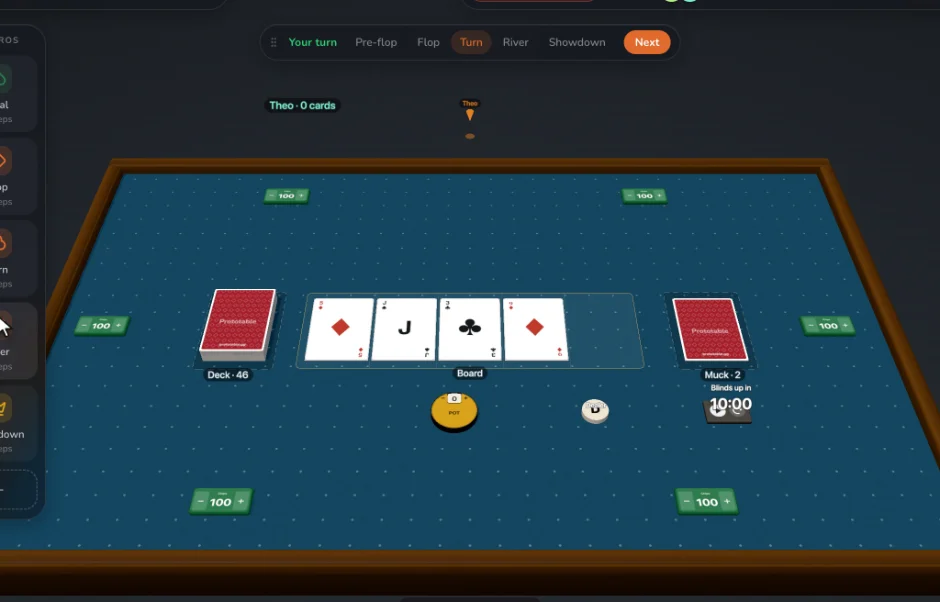
- Open the table. Ask for the link, or open Prototable. Your cards are there.
- Lay out a template. In Templates, place the fields where you want them. Every card follows.
- Play it. Put a deck on the table and share the link. Players join free, with no account.
- Tell it what happened. Paste your notes into the chat and ask for the next version.
Questions
Is there an AI card game maker that lets me actually play the game?
That’s what this is: a chat app writes the cards and rules, and Prototable is the table you play them on, with anyone, from a link.
Does it cost extra?
No. The connection is included on every plan, and you use the ChatGPT or Claude you already have. Free for two games, with 2 players at the table. Designer, $99 a year or $15 a month, adds unlimited games and 12 players. Players you invite always join free.
Can ChatGPT see all my games?
Only the account you sign in with, and only while it’s connected. Disconnect it in Integrations at any time. It can’t reach billing, and connected apps can’t delete cards.
Who owns the cards?
You do, as with anything you make here. Check the terms of the app you use, and the rules on copyright for work made with AI where you live, before you sell a game.
Does Prototable train AI on my game?
No. Prototable doesn’t train models on your game. What you share in a chat is covered by that app’s own settings.
Related: AI trading card generator · The best AI card game makers · The best AI board game makers · The best AI tabletop game makers · How to make a card game · all tools.