| Prototable11 of 11 | ShuffleKit6 of 11 | |
|---|---|---|
| Runs in the browser, nothing to install | Yes | Yes |
| Players join free from a link, no account | Yes | Yes |
| Design cards from templates | Yes | Yes |
| Import spreadsheets, images, PDFs and TTS sheets | Yes | PartlyCSV, Excel, Sheets and PSD |
| 3D table with physics dice | Yes | No"No 3D physics" |
| Edit a card mid-game and everyone sees it at once | Yes | PartlyHost refreshes the designs |
| No-code macros and automations | Yes | No |
| Record playtests, with notes and player feedback | Yes | YesReplay and notes |
| Review changes card by card, keep or discard | Yes | No |
| Print-and-play PDFs | Yes | YesExport on paid plans |
| A free plan | Yes | Yes |
Yes Partly No, or not in their docs
In detail
| Prototable | ShuffleKit | |
|---|---|---|
| Where it runs | In the browser, on a laptop, desktop, iPad or phone. Nothing to install. | In the browser, with mobile and tablet supported for quick sessions. |
| What players need | A link. Players join free, with no account. Add a PIN or your approval if you like. | A room link, with no account. |
| Price | Free for two games, with 2 players a room. Designer, with everything, is $99 a year or $15 a month. | Free to design and playtest; export and print are on paid plans. Hobby is $8 a month or $48 a year, Indie $20 or $120, Professional $40 or $240. |
| Making cards | Built in: card templates with your own fields, fonts, colors and icons, plus tokens, boards, dice and counters. | A deck is a spreadsheet, with a visual editor, layers, a large icon set, and template packs. CSV, Excel and Google Sheets import, with sheet sync, and PSD layers. |
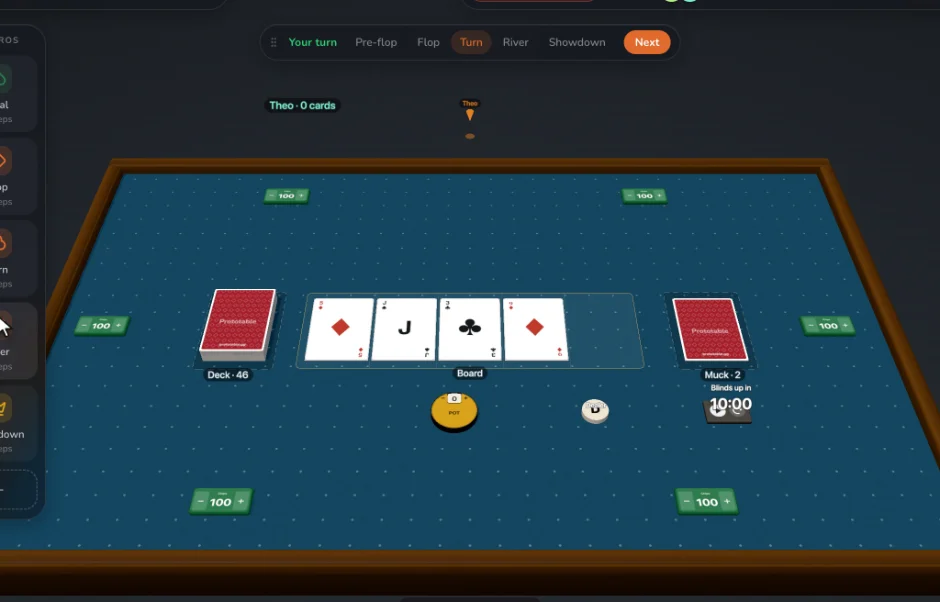
| The table | A 3D table with physics dice, hands, piles, lanes, square and hex grids, tokens, chess pieces and counters. | A playtable without 3D physics, for up to 6 players and 10 spectators, with boards and mats, tokens and meeples, and dice. |
| Automation | No-code macros and automations: "shuffle, then deal 5 to everyone" on one button, or typed into the command box. | Not listed on its playtable page. Hosts can set a starting hand size, save a table position as a scenario, and pull a card from a pile. |
| Changing a card mid-game | Edit a card during the game and every copy updates at once, on the table, in hands and in decks. | The host edits a card and refreshes the designs, and every player’s table updates. |
| Learning from playtests | Record playtests, leave notes on cards, collect player feedback, and review every change card by card, keeping or discarding it. Restore any session to play on from there. | Logged actions with replay, kept 30 days on the free plan and a year on Indie, plus notes, and results across sessions from Indie. |
| Printing | PDF print sheets with cut guides and bleed, Letter to Tabloid, and a sprite sheet PNG. | Print-ready PDF, PNG, JPEG and SVG on paid plans, safe zone and DPI checks, and printed decks through The Game Crafter from Indie. |
Where ShuffleKit is stronger
- Export to Tabletop Simulator and Roll20
- Printed decks ordered from inside the tool (Indie)
- Google Sheets sync and PSD import
- A large library of templates and icons
- Art and card text generated inside the tool, with monthly credits
Questions
Is Prototable a good alternative to ShuffleKit?
Yes, if playing is where your design happens: you want a 3D table with physics dice, no-code macros, more than 6 players, card edits that reach everyone without a refresh, and a Review that goes through each change card by card, at about half the price for unlimited projects. Prototable has all 11 of the capabilities we compare; ShuffleKit has 6.
When is ShuffleKit the better choice?
When you want a large template library, built-in generated art, and printed decks ordered from the same place. It is stronger at: export to Tabletop Simulator and Roll20; printed decks ordered from inside the tool (Indie); google Sheets sync and PSD import; a large library of templates and icons; art and card text generated inside the tool, with monthly credits.
How does ShuffleKit's price compare with Prototable's?
ShuffleKit: Free to design and playtest; export and print are on paid plans. Hobby is $8 a month or $48 a year, Indie $20 or $120, Professional $40 or $240. Prototable: Free for two games, with 2 players a room. Designer, with everything, is $99 a year or $15 a month.
Can I move my game from ShuffleKit to Prototable?
Prototable imports a spreadsheet or CSV, a folder of images, PDFs made for print, or a Tabletop Simulator card sheet cut into cards. Players join free from a link.
Looking wider? ShuffleKit alternatives for designers.
Sources
Checked against ShuffleKit’s own site and docs in November 2026:ShuffleKit, Playtest card games online, llms.txt. Tools change; if something here is out of date, tell us on Discord and we’ll fix it.
More comparisons: Tabletop Simulator, Dustin's Designer Den, Screentop, Tabletopia, playingcards.io, Tabletop Playground, Dextrous, Component.Studio, nanDECK, Canva, Magic Set Editor, Squib, Tabletop Creator.