| Prototable11 of 11 | Canva2 of 11 | |
|---|---|---|
| Runs in the browser, nothing to install | Yes | Yes |
| Players join free from a link, no account | Yes | NoNo table |
| Design cards from templates | Yes | PartlyGeneral templates; Bulk Create |
| Import spreadsheets, images, PDFs and TTS sheets | Yes | PartlyCSV and XLSX in Bulk Create |
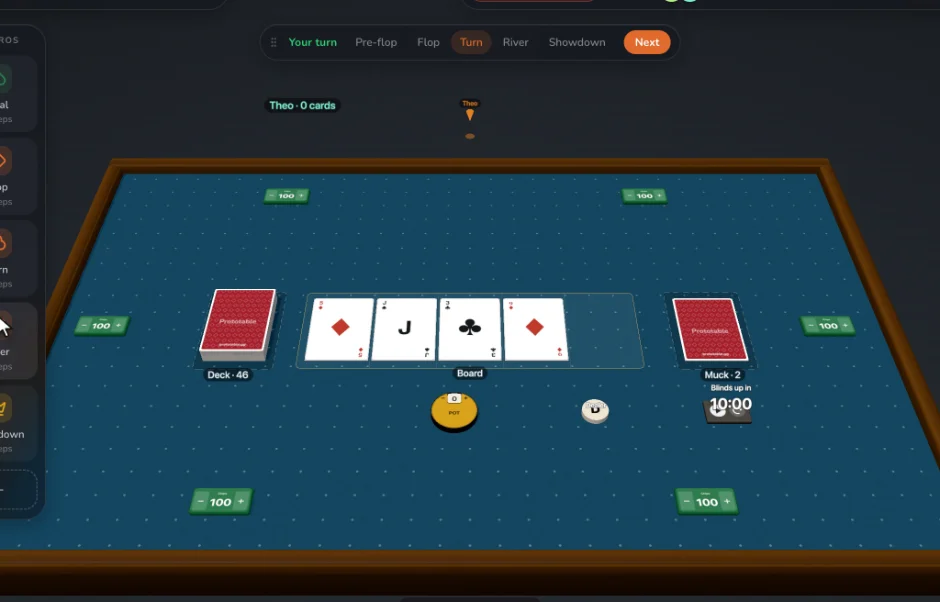
| 3D table with physics dice | Yes | NoNo table |
| Edit a card mid-game and everyone sees it at once | Yes | NoExport again |
| No-code macros and automations | Yes | No |
| Record playtests, with notes and player feedback | Yes | No |
| Review changes card by card, keep or discard | Yes | No |
| Print-and-play PDFs | Yes | PartlyGeneral print export |
| A free plan | Yes | Yes |
Yes Partly No, or not in their docs
In detail
| Prototable | Canva | |
|---|---|---|
| What it is | A tool for making and playtesting tabletop games. | A general design app, with no game-specific tools. |
| Price | Free for two games, with 2 players a room. Designer, with everything, is $99 a year or $15 a month. | A free plan. Bulk Create, which makes a design per spreadsheet row, needs Canva Pro or a higher plan, on desktop. |
| Making cards | Built in: card templates with your own fields, fonts, colors and icons, plus tokens, boards, dice and counters. | Very flexible design with a huge stock library. Bulk Create fills a design from a sheet, within row limits, and images must be in your library. |
| Playtesting | On the same table you design on. Share a link and play. | Export the images to another tool and play there. |
| Changing a card | Edit a card during the game and every copy updates at once, on the table, in hands and in decks. | Change the design or data, run Bulk Create again, and export again. |
| Learning from playtests | Record playtests, leave notes on cards, collect player feedback, and review every change card by card, keeping or discarding it. Restore any session to play on from there. | Not built in. |
| Printing | PDF print sheets with cut guides and bleed, Letter to Tabloid, and a sprite sheet PNG. | General print export, and its own printing service, with no card game layouts. |
Where Canva is stronger
- A huge library of graphics, fonts and templates
- General design for your box, rulebook and marketing too
- A tool many people already know
Questions
Is Prototable a good alternative to Canva?
Yes, if you are making a game rather than a graphic: you want cards that stay linked to a template, and to play them with people as soon as they exist. Prototable has all 11 of the capabilities we compare; Canva has 2.
When is Canva the better choice?
When you need a handful of good-looking cards, or marketing around a finished game, and you already know Canva. It is stronger at: a huge library of graphics, fonts and templates; general design for your box, rulebook and marketing too; a tool many people already know.
How does Canva's price compare with Prototable's?
Canva: A free plan. Bulk Create, which makes a design per spreadsheet row, needs Canva Pro or a higher plan, on desktop. Prototable: Free for two games, with 2 players a room. Designer, with everything, is $99 a year or $15 a month.
Can I move my game from Canva to Prototable?
Prototable imports a spreadsheet or CSV, a folder of images, PDFs made for print, or a Tabletop Simulator card sheet cut into cards. Players join free from a link.
Looking wider? Canva alternatives for designers.
Sources
Checked against Canva’s own site and docs in November 2026:Canva Bulk Create, Bulk Create from Sheets. Tools change; if something here is out of date, tell us on Discord and we’ll fix it.
More comparisons: Tabletop Simulator, Dustin's Designer Den, Screentop, Tabletopia, playingcards.io, Tabletop Playground, Dextrous, Component.Studio, nanDECK, ShuffleKit, Magic Set Editor, Squib, Tabletop Creator.