Download the printable PDF Edit it online Sample deck (6 cards, CSV)
Three letter-size pages, nine poker-size cards to a page: the blank layout, plain cards and a card back. Free, with no sign-up and no watermark.
Good for: starting a trading card game from scratch, or testing which fields you actually need. Size: Poker (64x89mm), one of the sizes built into the app.
The fields
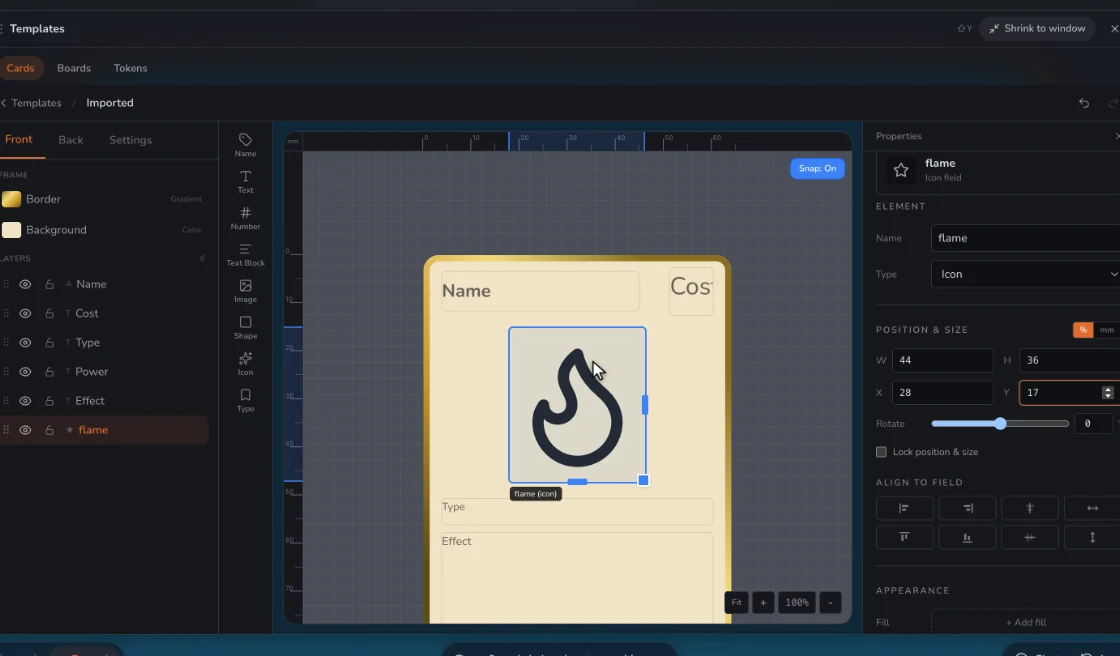
Each column in the sample deck fills a field on the card: Name, Type Line, Cost, Effect Text, Flavor Text, Color, Power, Toughness, Rarity, Number, Artist. Add or remove any of them.
| Name | Type Line | Cost | Effect Text | Flavor Text | Color | Power | Toughness | Rarity | Number | Artist |
|---|---|---|---|---|---|---|---|---|---|---|
| Tinker’s Apprentice | Worker | 1 | When this enters, put a Gear counter on it. | Hands first, questions later. | gold | 1 | 1 | Common | 001/006 | Add a name |
| Brass Mule | Machine | 3 | Carries up to two Gear counters. Remove one: this gets +2/+0. | gray | 2 | 4 | Common | 002/006 | Add a name | |
| Quick Patch | Spell | 1 | Restore 3 toughness to a Machine. | teal | Common | 003/006 | Add a name | |||
| Overclock | Spell | 2 | Double a Machine’s power until end of turn, then it takes 2 damage. | Fast is a choice with a bill. | red | Uncommon | 004/006 | Add a name | ||
| Salvage Run | Event | 2 | Return a Machine from your discard pile to your hand. | green | Uncommon | 005/006 | Add a name | |||
| Workbench Fire | Hazard | 3 | Each player discards a card, then each Machine takes 1 damage. | Nobody blames the lamp. | purple | Rare | 006/006 | Add a name |
How to lay it out
- Start from the full set of fields and delete the ones your game never reads. A field that is empty on most cards is a field that does not belong on the card.
- Keep a consistent grid: name and cost on one line, art below, type line, rules, then the numbers at the bottom. Players learn where to look in a single game.
- Give the collector number and artist line their own tiny strip at the very bottom, away from the rules, so they never fight for space.
- Check the fields against a card with the longest rules text you plan to write. If it does not fit, the template is wrong, not the card.
Start with too many fields, then subtract
A blank card invites you to add a stat for every idea. Resist it in the other direction: fill every field on a few cards, play them, and note which fields nobody looked at. Those come off.
If a field is empty on more than half your cards, make it a separate template for the cards that use it.
Use it in Prototable
- Press Use this template. This design and its 6 sample cards go straight into a game, with no account needed to start.
- Make it yours. Replace the sample cards with your own, in Prototable or from a spreadsheet, and change anything in the template. Upload art and it covers the placeholder.
- Make a deck and put it on the table.
- Play it, alone or with people from a link, and change cards mid-game.
- Print it as a PDF with cut guides when you want it on paper.
Questions
Is this blank trading card template free?
Yes. The printable PDF is free with no sign-up and no watermark. The sample deck is free to download and change, and Prototable is free for two games. Prints of your own cards from Prototable carry a small watermark on the free plan.
How do I print this template?
Download the PDF and print it at 100% or actual size, not fit to page, so the cards come out at 2.5 by 3.5 inches. Card stock holds up best. Cut along the outer lines.
Is this the real design?
Yes. The cards above are drawn from the same template you get, so it looks the same in Prototable, and you can change any part of it. Where the art goes, upload your own picture and it covers the placeholder.
How do I add my own cards?
Edit them in Prototable, or download the sample deck, change it in Excel or Google Sheets, and bring it in through Import, choosing this template.
Can I use these sample cards in my game?
Yes, they’re yours to change or use, though you’ll want to replace them with your own.
Do I need an account?
Not to start: you can open a table and import cards without one. Sign up when you want to keep your work.
Trading card maker · More: Broadsheet card template · Cartoon trading card template · Character card template · Coaching card template · Card game template · all templates.